
diff options
| -rw-r--r-- | README.md | 8 |
1 files changed, 4 insertions, 4 deletions
@@ -114,7 +114,7 @@ decide which drive letters you prefer for the partitions on your pendrive. For that, go to Device Manager, Disk Drives, and select the CH375 USB Disk as follows: - +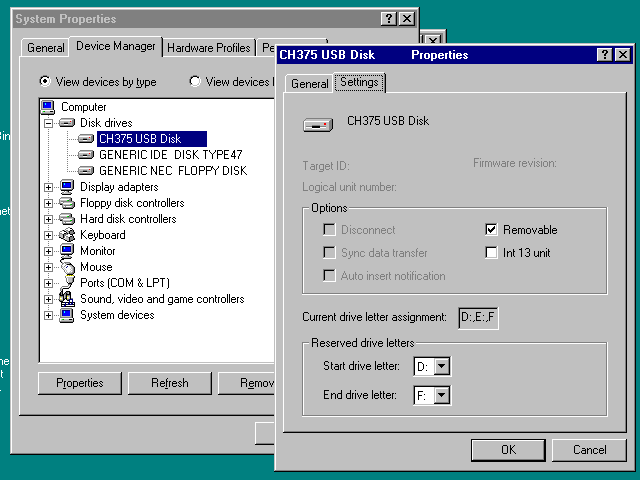 Partitions will be assigned to disk letters in order. @@ -127,7 +127,7 @@ You have to follow the usual procedure for non-PnP hardware in Win 9x. 2. Say you do not want to do automatic detection, and select "Hard Disk Controller" from the type of devices. - +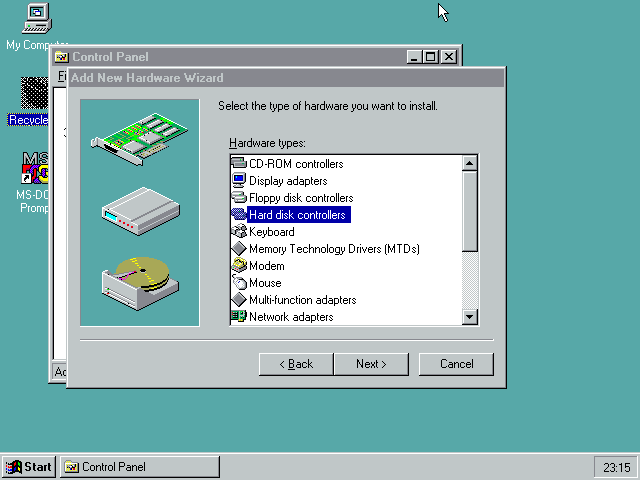 3. Use "Have Disk..." and point to the directory containing `chudisk.pdr` and `chudisk.inf`. @@ -141,7 +141,7 @@ settings. Do not reboot yet. In the Resources tab, you can configure the IO address to match whatever your hardware is using. On the Pocket386/Book386, this is 0x260-0x261. - +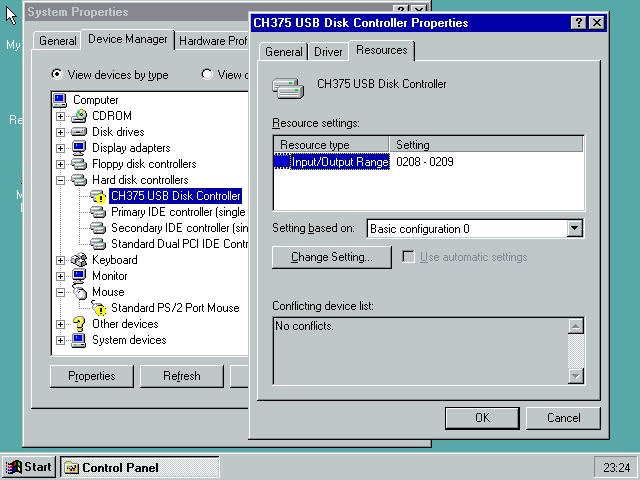 7. Windows will tell you that now you can shutdown the computer to install your hardware. It's already installed, so reboot. @@ -152,7 +152,7 @@ Uses OpenWatcom, same as DOS one. With `debug=1` , by default the debug log goes into the IOS debug log, which will only be shown in the debug versions of IOS. -# Linux 2.0-2.2 +# Linux 2.0 - 2.2 No binaries are currently provided for Linux, since I find it easier to just build for your distribution. You can even do that on-device. |